
How do I reactivate my subscription?Updated 2 months ago
Step 1: Login to your Loop Account (more information here)
Step 2: In the top navigation, click Subscriptions

Step 3: Click on the Inactive subscriptions link to show all your inactive subscriptions
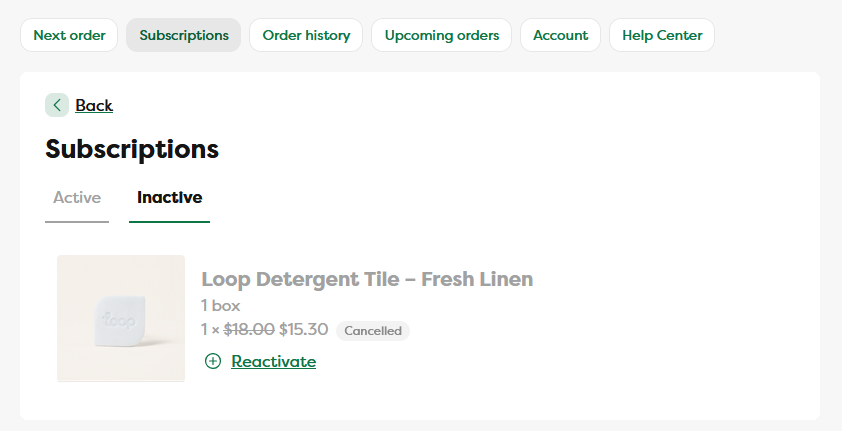
Step 4: Click the Reactivate button next to whichever subscription you'd like to reactivate
Step 5: The page will refresh to the Active Subscriptions tab and will now show your newly reactivated subscription