
How do I use a coupon code at checkout?Updated 2 months ago
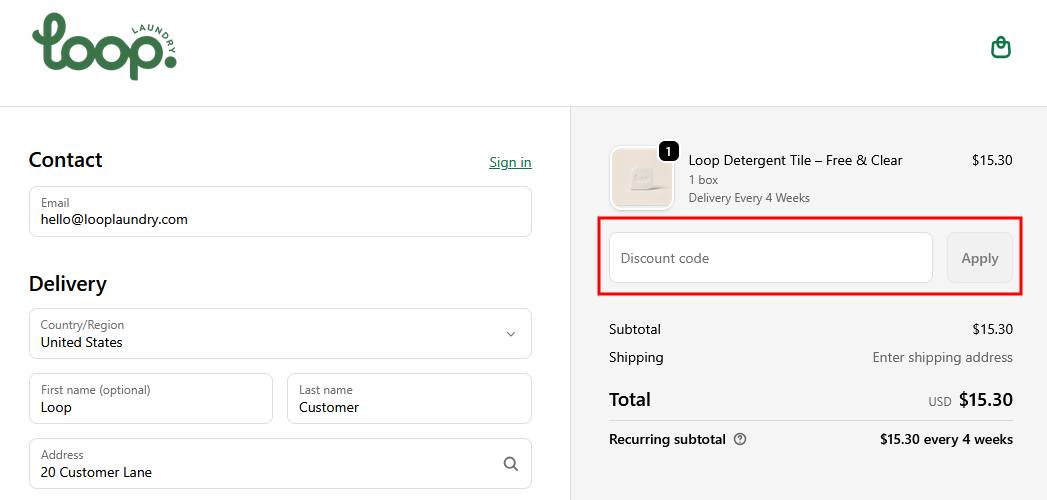
In the checkout there will a place on the right hand side (as shown below) to add a coupon code. Please note - we only allow 1 coupon per order.
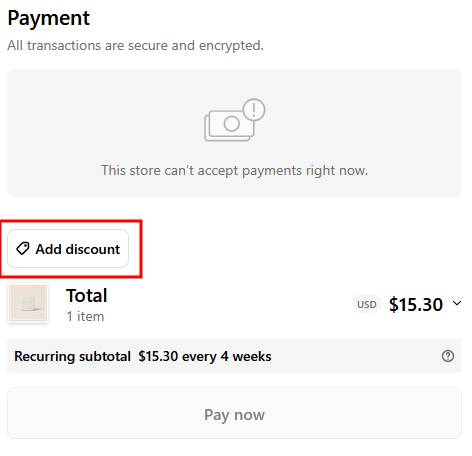
To add a coupon code - mobile
In the checkout, scroll down to the bottom and enter the coupon code in the Payment section by clicking the Add discount button
If you're having issues with a coupon code, check to make sure the code has not expired or does not have specific parameters that you need to meet (eg, some codes will only work on recurring subscription orders); you should be able to find this information wherever you received the coupon.