
How do I change my subscription order quantity?Updated 2 months ago
Step 1: Login to your Loop Account (more information here)
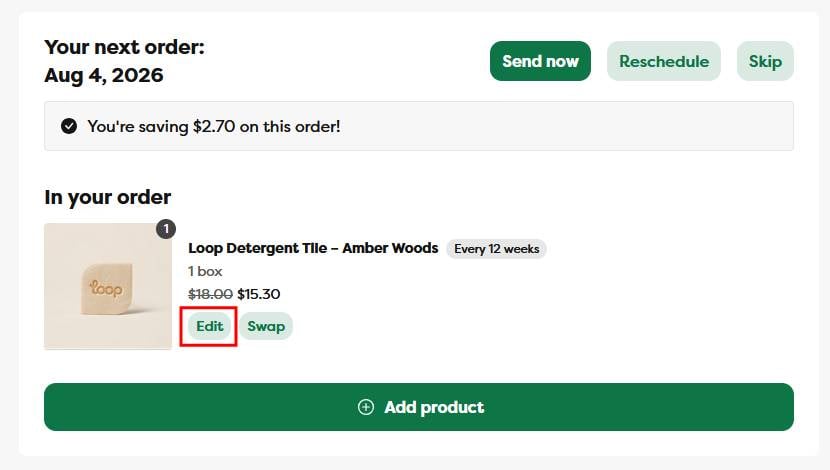
Step 2: Under the Your next order section, click the Edit button
Step 3: On the subscription management page, update the product quantity and click the Save Changes button
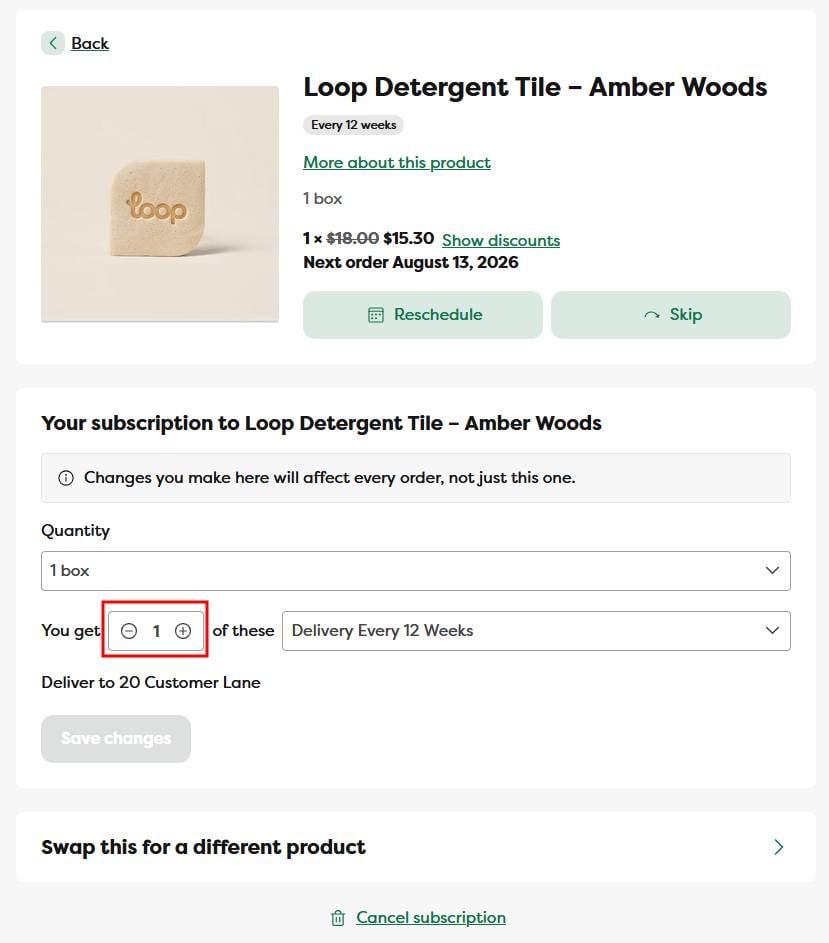
Step 4: The page will automatically update to reflect the newly selected quantity and price.
Please note: The quantity input will send you the number of boxes based on the variant you're subscribed to (we offer 3 variants for each product - 1 box, 2 boxes, 3 boxes). If a customer changes the subscription quantity to "2" and they have the "1 box" variant, they will receive 2 boxes; if they change the subscription quantity to "2" and have the "2 box" variant, they will receive 4 boxes total, etc.