
How do I change the frequency of my delivery?Updated 2 months ago
Step 1: Login to your Loop Account (more information here)
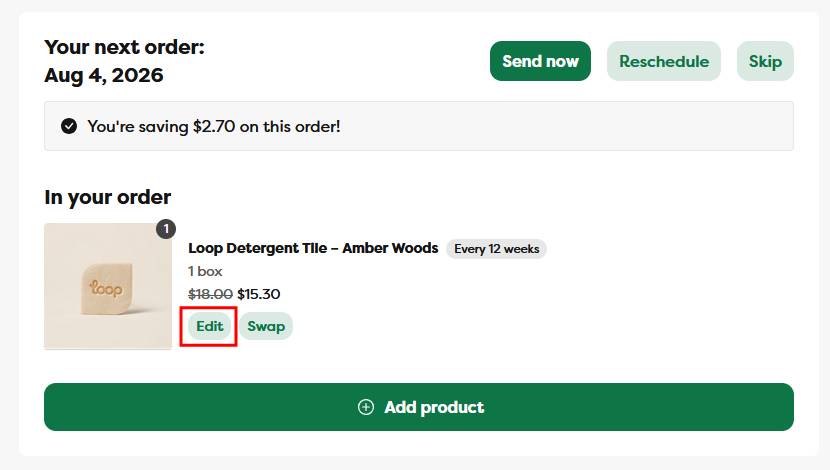
Step 2: Under the Your next order section, click the Edit button
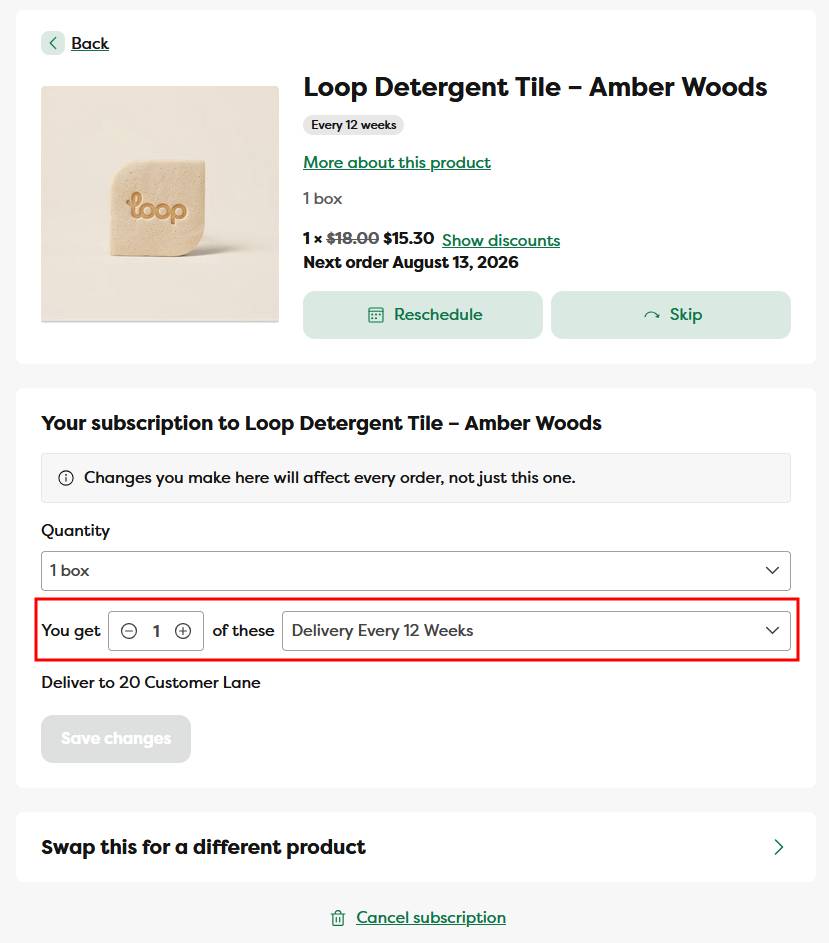
Step 3: On the subscription management page, select the new delivery frequency and click the Save Changes button
Step 4: A green confirmation notification will appear, and the delivery frequency will automatically update to the new delivery frequency
Please note: updating your delivery frequency does not update your next order date - your next order date will remain the same.