
How do I skip a delivery?Updated 2 months ago
Step 1: Login to your Loop Account (more information here)
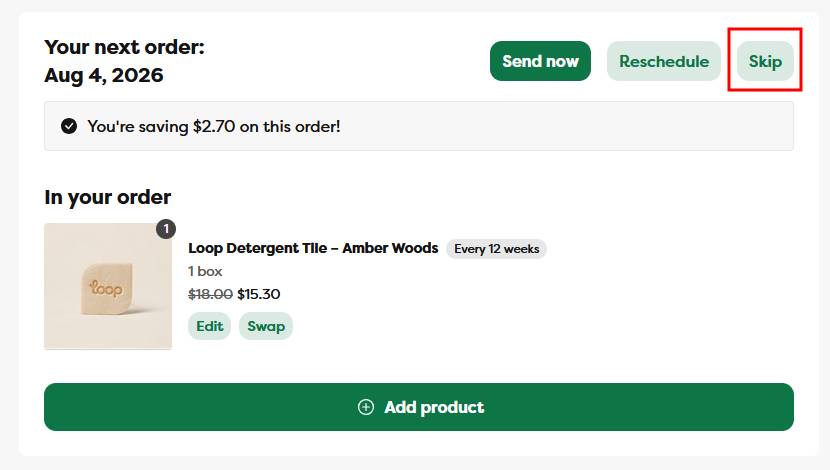
Step 2: Under the Your next order section, click the Skip button
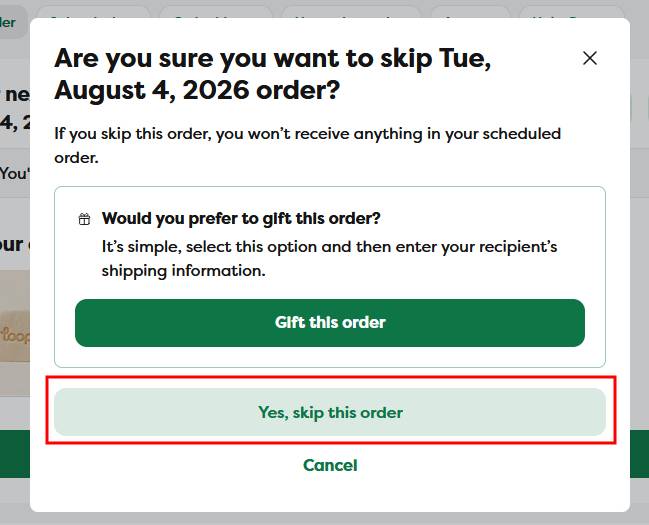
Step 3: A confirmation pop up will appear, click on the Yes, skip this order button to confirm the skip
- if you don't confirm the skip, your order will not be skipped
Step 4: A green confirmation notification will appear, and after a few moments the page will refresh to confirm your order has been skipped
- if the page doesn't automatically refresh, feel free to refresh the page manually
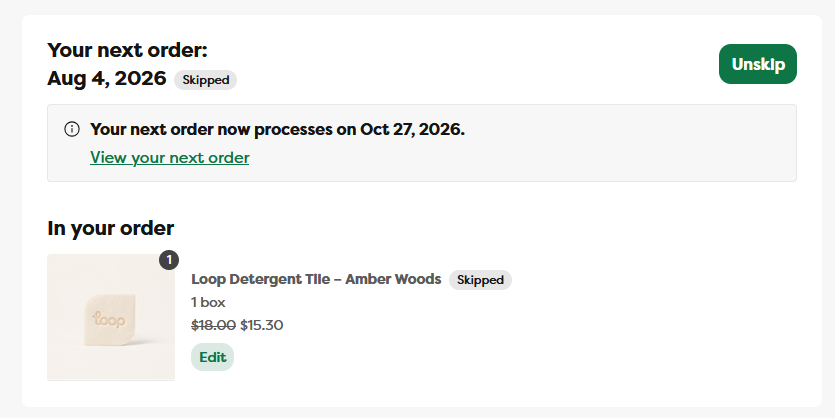
To unskip an order
To unskip an order, just click on the Unskip button. A green confirmation notification will appear, and after a few moments the page will refresh to confirm your order has been unskipped
- if the page doesn't automatically refresh, feel free to refresh the page manually