
How do I swap my subscription?Updated 2 months ago
Step 1: Login to your Loop Account (more information here)
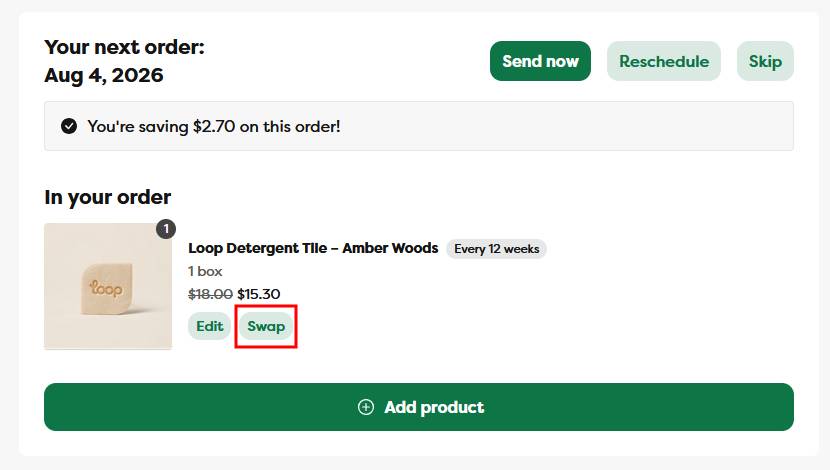
Step 2: Under the Your next order section, click the Swap button
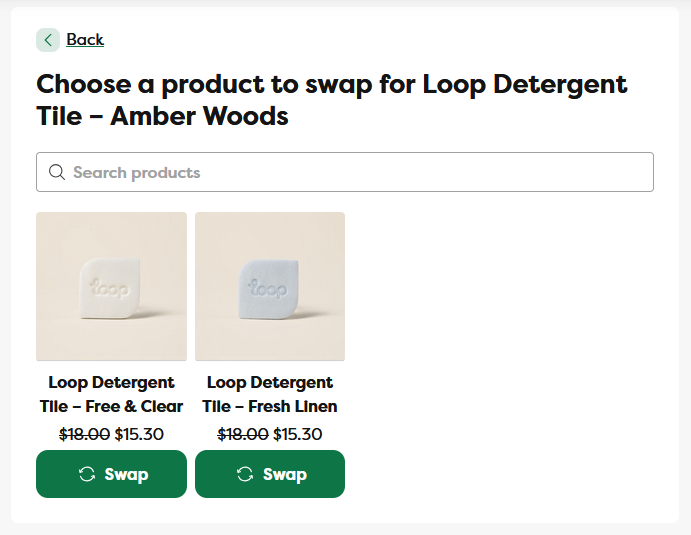
Step 3: On the Swap page, click on the Swap button for the product you want to swap your order & subscription to
- Please note: swapping your order means you're swapping to a new product for the upcoming order as well as your recurring orders. You can swap products/subscriptions as often as you'd like
Step 4: Confirm your product, product quantity, and delivery frequency selections
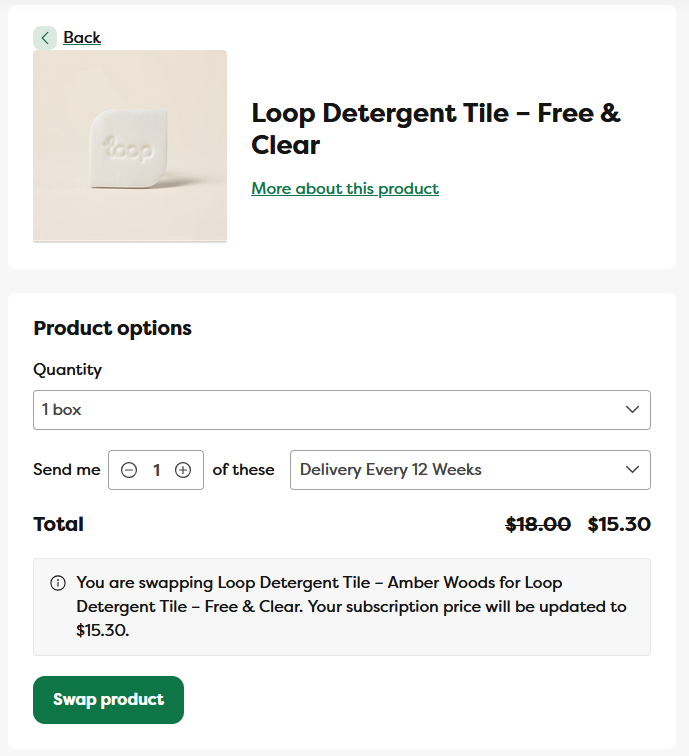
Step 5: Once confirmed, a green confirmation notification will appear, and after a few moments the page will refresh to confirm your subscription has been swapped